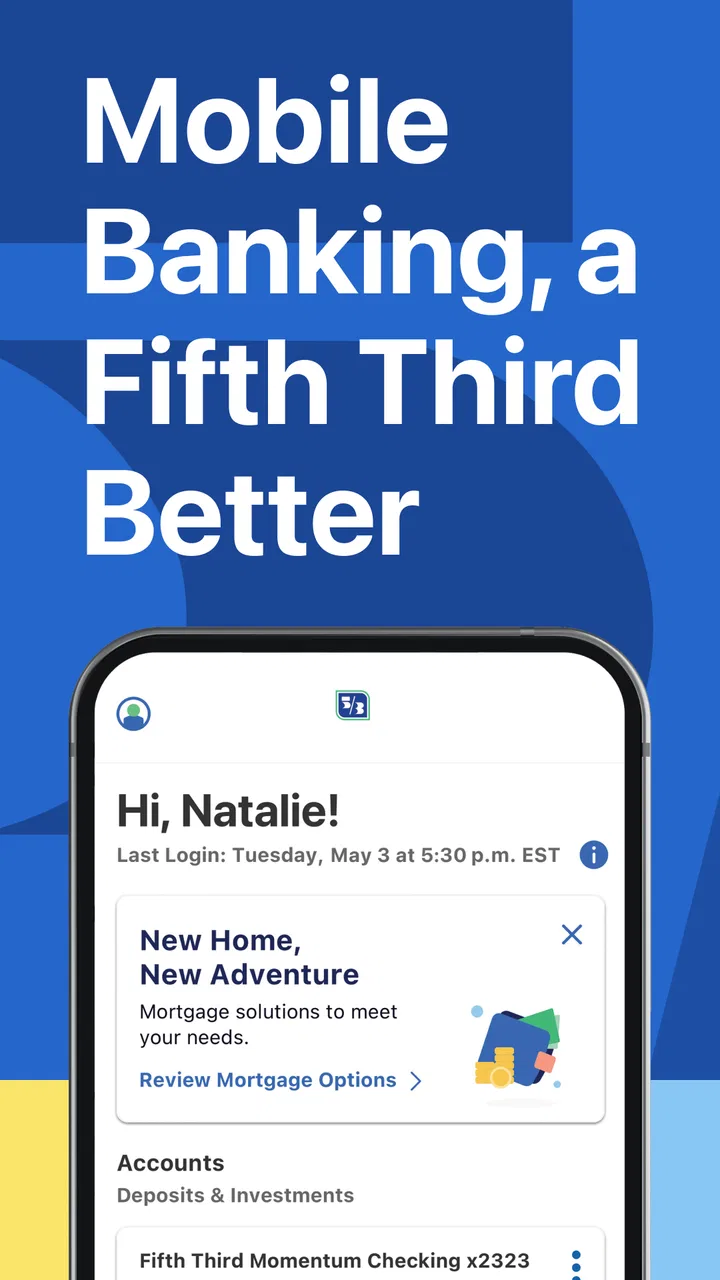
Fifth Third: 53 Mobile Banking
- 4.7
- Rating
- 1.00M
- Installs
- Free
- Price

 Analysis by App-foxy
Managing a bank account from a phone is convenient, but convenience only matters when I still feel in control of what I am doing. That is the standard I used with Fifth Third: 53 Mobile Banking, the free finance app from Fifth Third Bank. It is aimed at customers who want everyday banking access without depending on branch hours, and its long presence on mobile helps explain why it has become a familiar option for many account holders.
My overall impression is practical rather than flashy. The app focuses on putting banking tasks in one place, which is exactly what I want when I am checking whether a payment went through, reviewing recent activity, or trying to deal with an account question while away from a computer. Its store summary, “If your phone is on, your bank is open,” captures the central idea, but the real test is whether that access feels manageable during ordinary, sometimes stressful moments.
Trust starts with knowing what the app is for
Fifth Third: 53 Mobile Banking is listed in the Finance category and is developed by Fifth Third Bank. That distinction matters: this is a direct banking tool, not a budgeting service that connects to several institutions or a general money-management dashboard. I would approach it as the mobile companion for people who already use Fifth Third and want to handle their relationship with that bank from an Android device.
You May Also Like

 Blood Strike: 2.5 Anniversary
Blood Strike’s Loadouts Turn Every Drop Into a Tactical Gamble
A close look at Blood Strike’s custom loadouts: how fast access to signature weapons reshapes its battle royale rhythm, rewards preparation, and narrows the gap between fights.

 Pandora - Music & Podcasts
Pandora’s Music Is Easy to Start, but Harder to Recover
Pandora’s strength is its low-effort path from a seed to a station. Its weak spot is how much confidence it asks you to place in connection, setup, and quiet recovery.

 8 Ball Pool
 Is Built on Rivalries, Rematches, and Routine
A close look at the rivalries, rematches, shared routines, and unanswered safety questions that turn a quick pool match into a persistent mobile community.

 Samsung Music
’s Quiet Strength Is Playing What You Already Own
Its reach comes less from spectacle than from dependable access to a personal library. That simplicity is both the app’s strongest retention engine and its ceiling.

 AccuWeather: Weather Radar
AccuWeather Review: A Quick, Clear Forecast for Everyday Decisions
For everyday plans, the best forecast is the one you can understand quickly. AccuWeather makes rain timing, radar, and local conditions easy to act on, with a few trade-offs.

 Hill Climb Racing
Why Hill Climb Racing Still Turns Crashes Into One More Run
A tiny car, a bumpy hill and one more upgrade: Hill Climb Racing keeps resurfacing because its simple chaos makes every near-miss feel personal.
More From Our News Desk



The app has been available since November 16, 2011, and the current listed version is 5.23.0. Its long availability does not automatically prove that every part of the experience will suit everyone, but it does make the app feel like an established banking channel rather than a newly launched experiment. The listing shows more than a million installs, a 4.6 average from roughly 207,000 ratings, and about 34,000 written reviews. Those figures suggest broad use and generally positive reception, although they should not replace checking whether the app fits your own banking needs.
I also appreciate that the age classification is Everyone. That is useful for families comparing apps on a shared device, though an age label is not a substitute for careful account security. Banking deserves a more cautious approach than installing an ordinary shopping or entertainment app. I would download it only through the official app marketplace, confirm that the developer name is Fifth Third Bank, and avoid signing in while using an unfamiliar network.
The free price removes one common barrier, but “free” should be understood as the cost of the app itself, not a promise that every banking service, account, transfer, or transaction is free. Those details depend on the relevant account terms. I would read the bank’s terms rather than assuming the mobile app changes them.
What I would check before trusting it with daily banking
My first check would be whether the app supports the account relationship I actually have. A polished mobile banking app is not useful if my particular account, card, or service cannot be managed through it. I would also make sure I know how to reach the bank through an official channel if the app is unavailable, my phone is lost, or a sign-in problem occurs.
That backup matters because mobile access can create a false sense that the phone is the entire bank. It is only one access point. I would keep account recovery details current, use a device lock, and avoid saving sensitive information in notes or screenshots. These habits are not special features of this app, but they determine how safely I use it.
Controls that matter during an ordinary week
The strongest reason to use this app is the ability to deal with routine banking at the moment I need it. Instead of waiting until I am at a desktop, I can open the mobile channel when a purchase looks unfamiliar, when I need to check available funds before paying a bill, or when I want to confirm that a recent activity entry matches my memory.
A realistic example is a busy weekday when I am leaving a store and realize I am not sure whether a payment was completed. I would rather check the account from my phone than guess, make the payment again, and risk duplicating it. The value here is not entertainment or customization; it is reducing the delay between a financial question and the point at which I can inspect the account.
Another useful workflow is reviewing recent activity before contacting support. I can first identify the date, amount, and description that concerns me, then explain the issue more clearly if I need help. That small preparation can make a conversation with the bank less frustrating than saying only that “something looks wrong.” It also encourages me to notice unusual activity early instead of treating account review as a monthly chore.
The practical advantage is faster awareness, not automatic financial wisdom. The app can put account information within reach, but I still have to interpret transactions, recognize recurring charges, and decide what action is appropriate. I would not use a mobile banking screen as a replacement for a proper budget or a careful review of statements.
Where mobile access helps, and where it does not
For a Fifth Third customer who mainly needs a quick account check, the phone is often more convenient than a browser. I can use the device I already carry, and the app is designed around the bank relationship rather than asking me to assemble information from several services. That focused approach is a strength for someone who dislikes the complexity of financial aggregation tools.
On the other hand, a browser can be better for longer sessions, detailed record keeping, or comparing several pieces of account information at once. A larger screen may also be preferable when I am organizing finances, downloading records, or carefully reviewing a complicated issue. I would treat the app as a fast control panel for everyday access, not necessarily as the best environment for every banking task.
It also will not be the right choice for someone who does not bank with Fifth Third. A general budgeting app may be more useful for seeing accounts from different institutions together, while a spreadsheet may offer more flexibility for custom planning. Those alternatives solve different problems. This app makes the most sense when direct access to Fifth Third is the priority.
Small habits that improve the experience
I would open the app with a specific purpose instead of casually browsing financial information in public. Checking a balance while standing in a crowded line may be convenient, but it also increases the chance that somebody nearby sees the screen. I would lower screen visibility, use the device’s authentication protection, and close the app when finished.
When checking a transaction, I would look beyond the total. The date and merchant description can help distinguish a genuine problem from a delayed posting, a recurring charge, or a purchase described differently than expected. If something remains unclear, I would record the relevant details privately and use an official support route rather than discussing account information in a public forum.
I would also make a habit of checking after important financial events rather than only when I feel worried. A quick review after a large purchase, a scheduled payment, or a transfer can help me spot a mismatch while the details are still fresh. This is one of the less obvious benefits of a mobile banking tool: it lowers the effort required to verify what happened.
Data-sensitive moments deserve extra care
Banking apps handle information that can affect real money, so I pay attention to the moments when I am asked to authenticate, update details, or respond to an account message. I do not approve a request simply because it appears inside a familiar-looking workflow. I check what action I am taking and whether it matches what I intended to do.
I am similarly careful with phone notifications. A notification can remind me to inspect the account, but I would avoid displaying sensitive details on a lock screen if other people can see my phone. I would review the notification settings available on my device and choose a level of preview that balances usefulness with privacy. The important point is that the phone’s notification behavior is part of the overall banking experience, even when it is controlled outside the app.
Permissions deserve the same attention. I would read the permission prompts shown during installation or use and allow only what makes sense for the task being requested. I would not assume that a banking app needs unrestricted access to unrelated parts of my phone. If a prompt is unclear, I would pause and look for an explanation through an official Fifth Third channel before proceeding.
That cautious approach is not an accusation against the app. It is simply appropriate for financial software. I do not infer privacy promises from a clean interface, a high rating, or the developer’s reputation. I look for visible explanations, review the choices presented to me, and keep control of what I permit on my own device.
Account control is also about what happens when something goes wrong
The best time to think about a lost phone is before it is lost. I would make sure I know how to secure the device, how to change important credentials through an official route, and how to contact Fifth Third without relying entirely on the app. If I replace my phone, I would treat the transition as a security task rather than simply reinstalling applications in a hurry.
I would also be careful when using a shared tablet or a phone borrowed from someone else. Banking access should not be treated like a streaming login. I would avoid leaving credentials behind, confirm that the session is closed, and check that the device does not retain sensitive information. A mobile app can provide convenient access, but user discipline still determines much of the risk.
For people who want a single place to manage their money, the app’s bank-specific focus may feel limited compared with an aggregator. That limitation can actually be helpful for users who prefer fewer connections and a direct relationship with one institution. It becomes a disadvantage for households that need a combined view of several banks, investment accounts, or cards.
I would also skip it if I rarely use a smartphone, dislike handling financial tasks on a small screen, or need advanced planning tools more than quick account access. In those cases, Fifth Third’s web experience, telephone support, a branch, or a dedicated budgeting tool may be more comfortable. Choosing a different channel is not a failure of the app; it is a better match for the task.
My cautious verdict for Fifth Third customers
After looking at it as a daily banking tool, I see Fifth Third: 53 Mobile Banking as a sensible choice for existing Fifth Third customers who value immediate account access and want to review financial activity from a phone. Its free availability, established history, and strong average rating make it easy to consider, while the large install base shows that it is used widely.
My recommendation comes with a clear boundary: I would use it for convenience, not blind trust. I would verify the developer before installing, pay attention to permissions and notification previews, protect the phone itself, and keep an alternative support route available. I would also compare the app with a browser or budgeting service based on the job I need to complete.
For a quick balance check, transaction review, or moment when I need to understand what happened in my account, a mobile banking app can remove unnecessary waiting. For complex financial planning or multi-bank oversight, another tool may be better. If you already bank with Fifth Third and are comfortable making security-conscious choices on your phone, this app is a practical addition to your routine. If you are looking for a universal money manager, it is more focused than that—and that focus is both its main strength and its main limitation.
FAQs for Fifth Third: 53 Mobile Banking
01What features does the Fifth Third Mobile Banking app offer?
The Fifth Third Mobile Banking app provides a range of features including checking account balances, transferring funds, paying bills, depositing checks via mobile capture, and managing alerts. Additionally, it offers budgeting tools and secure messaging with customer support, ensuring a comprehensive banking experience right from your smartphone.
02Is the Fifth Third Mobile Banking app secure?
Yes, the app employs advanced security measures to protect your information. These include encryption, multi-factor authentication, and biometric login options such as fingerprint and facial recognition. Regular updates are also provided to address any security vulnerabilities, ensuring your data remains safe and secure.
03Can I deposit checks using the Fifth Third Mobile Banking app?
Yes, you can deposit checks using the app's mobile deposit feature. Simply take a photo of the front and back of the check within the app, and follow the instructions to complete the deposit. This feature is designed for convenience, allowing you to deposit checks without visiting a bank branch.
04Does the Fifth Third Mobile Banking app support bill payments?
Absolutely, the app allows you to pay bills directly from your account. You can set up one-time or recurring payments, view payment history, and manage payees. This feature enhances convenience by simplifying your bill management process, ensuring you never miss a payment.
05What should I do if I encounter issues with the Fifth Third Mobile Banking app?
If you experience any issues, there are several ways to get support. You can contact customer service through the app's secure messaging feature, call their support line, or visit a local branch for assistance. The app also provides a help section with FAQs and troubleshooting tips.
Pros
- User-friendly interface for easy navigation.
- Quick access to account balances and transactions.
- Secure login with biometric authentication.
- Instant notifications for account activity.
- Easy mobile check deposits with camera.
Cons
- Limited international transaction capabilities.
- Occasional app crashes or slow loading.
- Inconsistent customer support responses.
- Some features require separate registration.
- Limited customization of notification settings.

Fifth Third: 53 Mobile Banking
Gallery